Counting, but cuter
Laps, reps, cups of water, visitors through the door. Give each thing its own kitten and watch the number go up.
Tap to count
One big tap, a little haptic and a happy purr. Counting is instant, with nothing in the way.
Every count is remembered
Each tap is saved with its time, so you can undo, see your history by day and export it any time.
Widgets and Apple Watch
Count from the Home Screen, a watch complication or a Shortcut without opening the app.
Private by design
No account and no sign-up. Your counts live on your device and the app works offline.
Dress Up
Pick a coat, a room color and an outfit: bows, crowns, glasses and more for each kitten.
Your data is yours
Export to CSV or JSON and restore a backup on any device. Free for everyone.
Your pet album
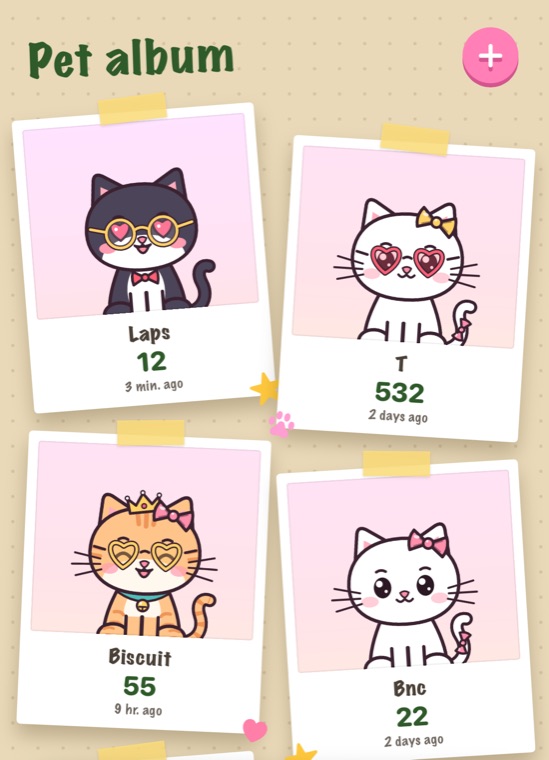
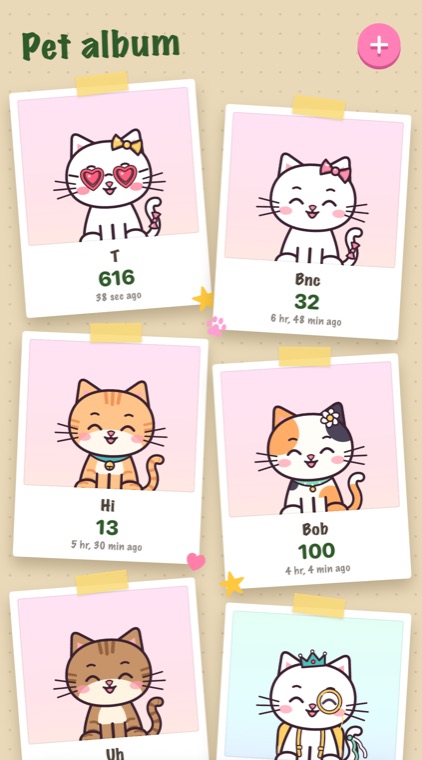
Every counter is a polaroid in your album, with its own kitten and room color. Rearrange them, archive the ones you are finished with and see at a glance what you counted last.
Pick from a litter of kittens, each with her own eyes, markings and wardrobe.

She loves it
Pet her and she purrs, squints and sends up hearts. Leave her alone and she looks around, yawns, chases butterflies and dozes off.
Prefer calm? Tally Cat follows iOS Reduce Motion, and you can lock a counter so nothing gets counted by accident.
Tally Cat Pro
The app is free. One purchase unlocks the rest, with no subscription.
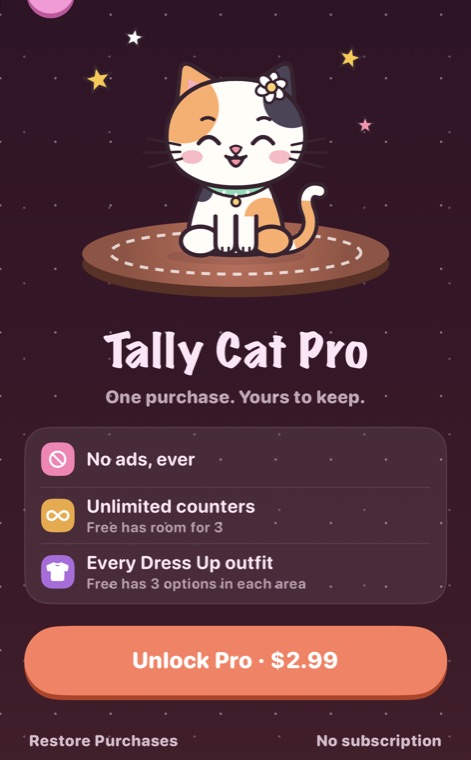
- No ads, ever
- Unlimited counters (free has room for 3)
- Every Dress Up outfit
$2.99, once. Yours to keep.

Help
Restore Pro on a new device.
Open Settings in Tally Cat and tap Restore Purchases, signed in with the same Apple Account you bought it with.
Back up your counts.
Use Export in Settings to save a JSON backup to Files, and restore it on any device.
Watch not updating.
Open Tally Cat on your iPhone once. Taps made on the watch while the phone is away are kept and sent when they reconnect. Watch widgets take 15+ minutes to update the app but starting the Tally Cat watch app will make it sync immediately.
Change ad privacy choices.
Settings > Ad privacy choices in the app, or iOS Settings > Privacy & Security > Tracking.